
Every generic AI art generator has the same flaw: you describe a woman, get a gorgeous result, try to make one more image of her — and she's gone. Different face, different hair, different body. The model gives you a cousin, not the same person. That's because you're describing a character, not saving one.
Characters beat descriptions
A saved character is three things: a reference image that anchors the face and body, an identity prompt that pins what must not change, and a history of every scene she's been in. Sensia stores all three and makes one click load them together. Pick her from My characters, choose a new scene, generate. Same woman, new moment.
Step by step
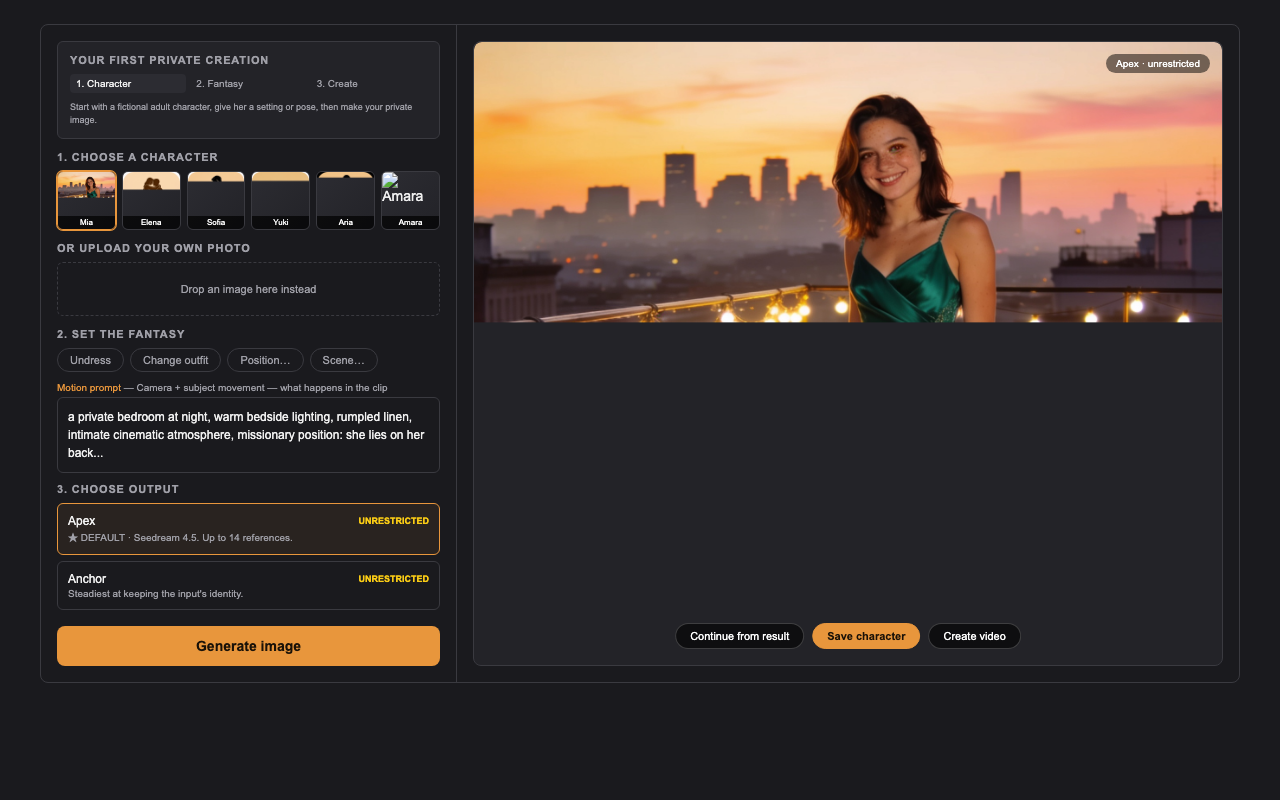
- Start from a curated fictional character or upload a photo you have the rights to use.
- Generate until one result feels right — face, proportions, hair, style.
- Press Save character. Sensia keeps the image and the identity guidance, drops the scene.
- Next visit: pick her from My characters, choose a new setting or position, generate again.
- Everything she's ever been in lives in her Creations history — searchable, reusable, private.
Why faces drift (and how to stop it)
Identity drift happens because references compete: the more images you attach, the more the model averages faces. Put identity in the preserve field, not the instruction, and keep the character image attached as the anchor. When a face drifts, regenerate rather than fighting the prompt — each run re-rolls.